Changelog

Follow new updates and improvements to Market.CSGO.

July 22nd, 2026

The motto of this update is speed and convenience in the little things. Even the smallest change, at first glance, saves a lot of time for all website users. Here is what we've improved!

💰 Trading and Prices

  • New price change window: completely modernized the design. Now you can instantly and clearly see the skin's parameters, your final profit, current competitor prices, and active purchase requests.

    Reworked float block
    Recommended prices
  • Bulk updates: added bulk price changing for identical skins. Sending a warm shoutout to all container sellers! 👋

  • Quick sale: skin phases are now displayed on this page.

  • One-tap purchase: in the mobile version, you can now add the desired item to your cart with a single tap.

📈 Analytics and Charts

  • Smart periods: if an item has no early sales history, the buttons for irrelevant periods on the price chart now automatically become inactive.

  • Interactivity: the chart showing the number of purchases per hour has become more convenient. You can now leave only the periods you need on the screen, and today's line has become brighter.

💸 Withdrawals

  • Smart withdrawals: if the entered withdrawal amount is below the minimum, the Market will immediately block the creation of the request. No more wasting time waiting for an error from the payment system itself. This check works for all withdrawal methods.

⚡️ Usability and Navigation

  • For creators: launched the media kit page! Our brand book, logos, and brand guidelines now officially live there.

  • To the top! Added a convenient "scroll to top" button to the skin catalog page.

  • Beware of scammers: updated the scam warning pop-up and added direct links to protective articles in our FAQ. Please take the time to read them.

  • Return of a legend: refined and brought back the much-loved ticker showing recent purchases on the Market! We've optimized its performance, and it no longer slows down the website's loading time.

🇨🇳 CSGObuy (Chinese Version)

  • When listing an item for sale, the lowest price is now displayed not only for CSGObuy but also for the global Market.

  • Fixed login to mobile version.

Thank you for reading! Many of these cool new features appeared only thanks to your feedback on the feedback portal. We look forward to your next suggestions 💙

July 20th, 2026

Introducing the new version of our desktop app! In this release, we've added full support for Alfaskins and brought in a few cool improvements that will make working with the Market even more comfortable.

🧬 Full Alfaskins Support

Trading reaches a new level! Now all Alfaskins management is available right in the app:

  • Incoming trades: confirm trades without extra steps.

  • Full statistics: the complete history of Alfaskins operations is now conveniently displayed in your dashboard.

  • Flexible settings: you can enable automatic trade confirmation. And if you don't plan on working with Alfaskins for now, simply disable the display of this tab to avoid distractions.

  • Monitoring: the connection status with Alfaskins servers is now always visible on the accounts tab.

🛠 Useful Interface Improvements

  • Window memory: MarketApp Desktop now remembers its position on the screen. After closing, the app will open exactly where you left it. Multi-monitor owners will definitely appreciate this - no more chaos on your desktops!

  • Account status at a glance: we can now display current restrictions on your account (VAC bans, Community bans, or Market.CSGO blocks). We hope you never encounter these notifications, so we're just showing what they look like in the screenshot below 👇

  • Clear connection status: when losing connection with the Market, a clear banner indicating the reason and current status now appears in the settings.

  • API key: brought back the ability to enter your API key in the account settings (this button was previously inactive by mistake).

🐛 Bug Fixes

  • Resolved an issue where the app would throw an error if the proxy server password contained a hyphen (-).

  • Fixed an annoying bug where notification sounds were played with a significant delay.

The new version of MarketApp Desktop is already available for Windows, macOS, and Linux. Thank you for reading this changelog to the end. We are always glad to see your feedback on our ideas portal 💙

July 8th, 2026

Summer is in full swing, and the Market.CSGO team continues to endlessly polish the website. Every update we make is another step towards making your trades even faster and more comfortable. Here is what we've been working on lately:

3D Viewer now available when selling!

We continue to expand the functionality of our 3D Item Viewer. The coveted 3D view button has now appeared right on the item sale page. Want to quickly check a pattern before setting a price? Now you don't even need to launch the game to do this - everything works right in your browser in one click.

CSGObuy (Chinese Market)

  • In connection with the release of the mobile app, we redesigned the apps download page.

  • Added a link to the apps download page to the footer of the website.

  • You can now only link a Chinese phone number to your account.

Polish and Fixes

  • Reliable authorization: if you accidentally refresh the page while linking a phone number, the input window will reopen - you will no longer have to request an SMS code a second time. We also fixed the title in the email linking window.

  • Interface: fixed the behavior of the Fast buy button when closing the rules window.

  • To ensure you're always up to date with our innovations, we added a direct link to the update history in the website footer.

  • Fixed a bug where price filters would reset upon refreshing the search page.

We invite you to check out the new features and leave your feedback on our ideas portal. Meanwhile, we've already set off to prepare the next update for you 💙

July 1st, 2026

There are already over 400,000 extension users! It's a huge number that motivates us to improve not only the Market but Steam itself. While Valve has forgotten about the trade offer page (it feels like it hasn't changed in ages 🦖), we took matters into our own hands.

Get ready for a massive trade redesign and smart evaluation tools!

Trade Offer Page 2.0

We have completely rebuilt the trade window. Now it's not just an interface from the early 2010s, but a modern trading tool:

  • Smart start: the CS2 inventory is now selected automatically. We know you want to get your hands on that knife as soon as possible 😉

  • Economy at a glance: during a trade, the extension automatically calculates your potential profit and immediately shows the estimated value of each skin.

  • No extra clicks: the quality, category, and wear of skins are now visible at a glance. Plus, the search and filters have logically moved to the top, right above the items.

  • Bulk management: add all skins to the trade with a single button or remove items with an undefined price in one click. You can now also see the total number of items you and your partner have, and the page size can be customized.

Other Perks and Fixes

  • Fewer clicks, more focus: incoming trades on the trade offers page are now displayed expanded right away, and the right menu is no longer so bulky.

  • Quick decisions: seeing the profit right in the offers window will help you instantly evaluate the deal, and the new "Accept" and "Decline" buttons will let you close it in a second.

  • In the extension window itself, your avatar is now displayed instead of the default picture.

  • Fixed a rare bug where the extension could create a trade even after a sale on the website was marked as unsuccessful.

The new version of the extension is already available in the Chrome and Firefox stores. We would love to read your thoughts on the update on our feedback portal 💙

June 18th, 2026

Summer is in full swing, but the Market team is not resting! We have prepared a fresh batch of website updates to make buying and selling skins even more convenient for you 🌞

Trading and Interface

  • Balance details: hovering over the top-up button now brings up a pop-up window with detailed information about your account balance.

  • Skin phases: added the display of the specific phase right on the Trade page.

  • Price updates without reloading: now, after changing the price of an item, the interface updates instantly - no need to reload the page to see the new numbers anymore.

Security and Support

  • Scam protection: added a warning banner detailing common scam schemes. It is displayed during your first login to the website.

  • Ticket improvements: links in support tickets are now clickable, and the "Send" button itself has been made more noticeable.

Bug Fixes

  • Fixed a visual bug in autobuy - now, when deleting one request for a skin with a specific phase, the other phases no longer disappear from the displayed list.

  • Fixed the incorrect display of the trade acceptance pop-up window.

  • The Gleam giveaway page now correctly adapts to smartphone screens.

We are already hard at work on new useful features. Thank you for continuing to actively share your ideas and feedback on our portal 💙

June 5th, 2026

Website

Due to recent changes on Steam's end and the fact that after a trade reversal caused by the buyer, the seller can now immediately relist the item for sale, we have revised the withheld amount.

Reversal caused by the buyer

The penalty has been reduced to 25% of the transaction amount:

  • 15% of this is credited to the seller as compensation;

  • 10% is retained by Market.CSGO.

Reversal caused by the seller

  • The buyer is refunded the full price of the skin at the time of the transaction;

  • The item is returned to the seller.

Reversal for buy-for purchases (caused by the recipient)

buy-for is an API method where the buyer purchases an item for another person.

  • A 25% penalty is applied to the transaction amount (15% goes to the seller and 10% is retained by Market.CSGO);

  • 75% of the amount is refunded to the buyer.

June 5th, 2026

MarketApp Mobile

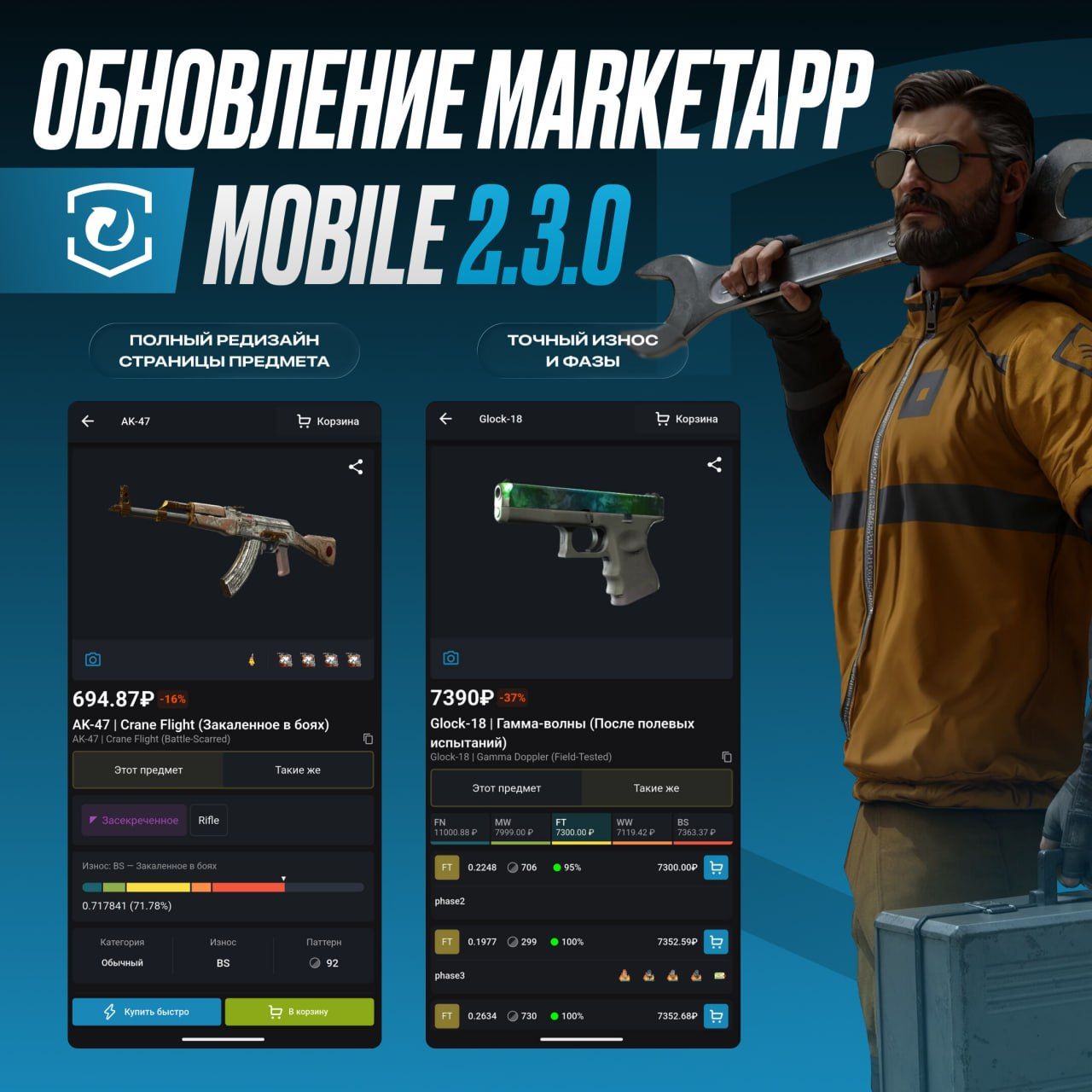
We've released a new version of the mobile app! Buying and selling from your phone just got even faster, more convenient, and more intuitive 🚀

Trading and Analytics

  • Price charts: completely reworked this section! Added advanced and scatter charts, detailed explanations for each type, and the ability to expand them to full screen.

  • Bulk price management: added the highly anticipated ability to quickly change the price for a group of identical items at once.

  • Auto-start sales: a useful option has appeared in the settings. If activated, sales and auto-buys will automatically turn on every time you launch the app.

  • Smart autobuy: added an important warning to the auto-buy window: the order always triggers for the cheapest item in the category. A reminder that a single request can be placed for a maximum of 100 items.

Inventory and Quick Sales

  • Stickers at a glance: stickers applied to your skins are now displayed right in the inventory.

  • Quick sale: items on this screen now have a colored background corresponding to their rarity.

  • Quick sales that are under trade protection are now displayed in the transaction history. We also fixed a bug that showed the wrong status for such operations.

Authorization and Main Screen

  • Optimized the session saving process - you will now have to log in again much less frequently.

  • Login assistance: sometimes the Steam login page takes longer to load than usual for reasons beyond our control. Now, in such cases, the app will automatically suggest solutions to the problem.

  • Main screen: added the display of your frozen balance and important system warnings from the Market.

Android App

  • Notification management: the persistent push notification can now be disabled in the settings (please note: this may decrease the delivery stability of other notifications).

  • Interface: the app no longer overlaps system navigation buttons ("Back", "Home", "Recents").

General Improvements

  • Added our social media buttons to the profile - subscribe, we'll be glad to see you!

  • Translated the interface in places where the text was still displayed in English.

The update is already available on Google Play and the App Store! We look forward to your suggestions and feedback on our Feedback Portal 💙
June 2nd, 2026

Website

Happy start of the long-awaited summer! We're welcoming the warm season with a large batch of useful improvements 🌸

Withdrawal

  • Reduced the Steam withdrawal fee to 2% (and added the corresponding icon to the withdrawal page).

  • MAX button: now, clicking it enters the amount excluding your frozen balance.

  • When linking or unlinking a phone number, you can now request a confirmation code again.

Item Sales

  • Trade protection: added a trade protection status check button to the active trades page. This will help if the status didn't update automatically.

  • Bulk sales: fixed a bug - now the price-setting window displays all selected skins, instead of just the first 15. When removing items, their status is now updated correctly.

  • Sticker prices: sticker prices on the Steam Community Market are displayed correctly once again.

  • Fixes: fixed filter resetting on the main page, incorrect tooltip text after trade protection ends, and the display of outdated trade statuses in the quick sales history.

Autobuy

  • The autobuy button is now available on the item cards of absolutely all items.

  • If an item has a Phase, it will be automatically filled in the auto-buy window.

  • The window itself now explicitly states that the order will trigger for the cheapest item in this category.

Mobile Version

  • Full control: when listing items for sale, the total value of the skins and the Market fee are now immediately displayed.

  • Layout: skin type blocks (regular skins / Alfaskins), settings, and trading blocks now neatly adapt to the width of your smartphone screen.

General Improvements

  • A filter reset button has been added to the transaction history (it shows up if the search yields no results).

  • Removed the like/dislike buttons from system messages in support tickets. You can still rate responses from support agents!

  • Translated new interface elements into other languages.

The next Market.CSGO update is coming very soon! Wishing you a sunny mood and profitable trades 💙

May 27th, 2026

MarketApp Client

Market.CSGO is reaching a new level in Asia! We are expanding rapidly around the world, and in this release, we’ve focused on important improvements for our users in China 🇨🇳

  • Ping monitoring: connection parameters and real-time server latency display have been added to the account settings.

  • Built-in connection booster: added a built-in network accelerator when selecting the "China" region. Now, when logging into a Steam account from this region, the app will immediately suggest optimal connection settings.

  • Third-party proxy support: added the ability to configure and use your own proxy servers to bypass network restrictions in China.

  • Connection stability: significantly improved the quality and reliability of the MarketApp Desktop connection to the Chinese server.

  • Translation update: thoroughly reworked and improved the translation of the app's interface into Chinese.

The new version for Windows, macOS, and Linux is already waiting for you on our website. Buy and sell on Market.CSGO smoothly and fast from anywhere in the world 💙

May 18th, 2026

Website

The long-awaited update is finally here! Now you can examine skins in full 3D detail from both your PC and phone.

What the new 3D Item Viewer can do:

  • Complete freedom: rotate and zoom in on weapons from any angle to see every single pixel.

  • Custom backgrounds: switch up the background - we've recreated the atmosphere of popular maps.

  • Maximum information: check stickers, float, pattern, and nametag before buying.

  • In-game inspection: the familiar inspect button for the CS2 client is also right there.

⚠️ Currently, the item inspection buttons will only appear if the seller has set their Market.CSGO account to open.

And one more thing: our 3D Item Viewer page works as a standalone tool! You can paste an inspect link for absolutely any skin (for example, from a friend's inventory or straight from the game) and check it out in your browser. Plus, if the item is listed for sale on the Steam Community Market or on our Market, you will also see its details.

The link is located at the bottom of the website

We look forward to your feedback and ideas for improving the tool. See you on Market.CSGO 💙